
FreeSCP

FreeSCP

A native macOS & Linux port of WinSCP.

The dual-pane file manager people have loved on Windows for 20 years — SFTP, FTP, SCP, WebDAV and S3 — now running natively on the Mac (Linux next). Free and open source.

Works with SFTP · SCP · FTP · WebDAV · Amazon S3 (+TLS)
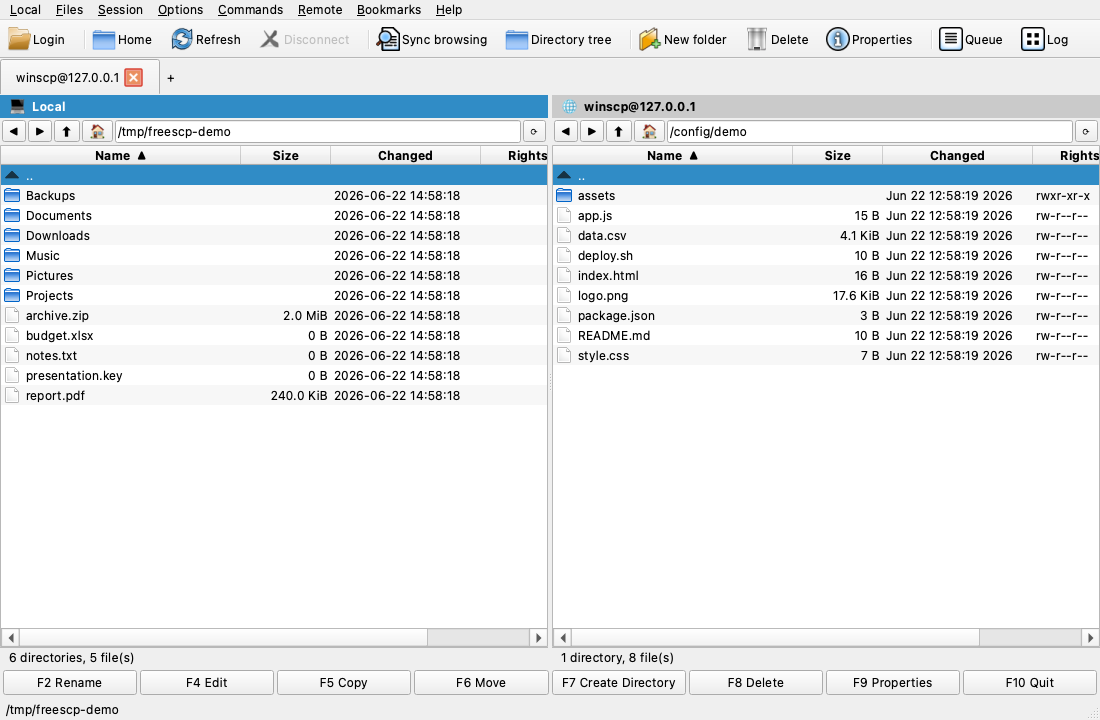
FreeSCP screenshot — dual-pane Commander connected over SFTP

Everything you reach for

A faithful rebuild of the WinSCP Commander, running the same protocol engine natively.

Dual-pane Commander

Two panels, session tabs, a directory tree and synchronized browsing — the layout you know.

Five protocols

SFTP, SCP, FTP, WebDAV and S3, with TLS. Connect, browse, transfer and manage files.

Edit remote files

Open a remote file in any editor; FreeSCP watches it and re-uploads automatically when you save.

Transfer queue

Background transfers with a live queue, speed and parallel connections.

Drag & drop

Between panels and to/from Finder. Bookmarks, masks, overwrite prompts, recursive chmod.

Secure

Public-key auth (your OpenSSH keys work), host-key verification, and a notarized, signed app.

Why FreeSCP?

WinSCP has been a fantastic, free tool on Windows for many years — but it never existed on macOS or Linux, and nothing else quite replaces it. FreeSCP closes that gap: it runs WinSCP's own protocol engine, recompiled natively, behind a Qt rebuild of its interface. So transfers behave exactly like WinSCP, on your Mac.

It's free software under the GPLv3, a project started by Oriol Egea, made possible by leaning on AI for the heavy lifting of the port.